

Easily manage contacts and email marketing with Constant Contact Salesforce integration. Sync data, run better campaigns, and save time with connected tools.
 Dadich Rami
Whether you're looking to optimize your Salesforce solution or need custom development, our team is here to help you unlock the full potential of Salesforce.
Managing customer data and email marketing separately can be challenging for businesses. With Constant Contact Salesforce integration, businesses can streamline both processes and improve workflow. By connecting these platforms, companies ensure customer information remains consistent and accessible, enabling more efficient marketing campaigns and stronger customer relationships.
In this blog, we’ll explore how integrating Constant Contact with Salesforce can simplify your marketing efforts, improve data accuracy, and help grow your business. We’ll also cover the steps to set up the integration and the benefits it provides.
Constant Contact is an email marketing tool that helps businesses connect with customers through targeted email campaigns. It provides easy-to-use tools for creating and sending emails, tracking results, and managing customer lists.
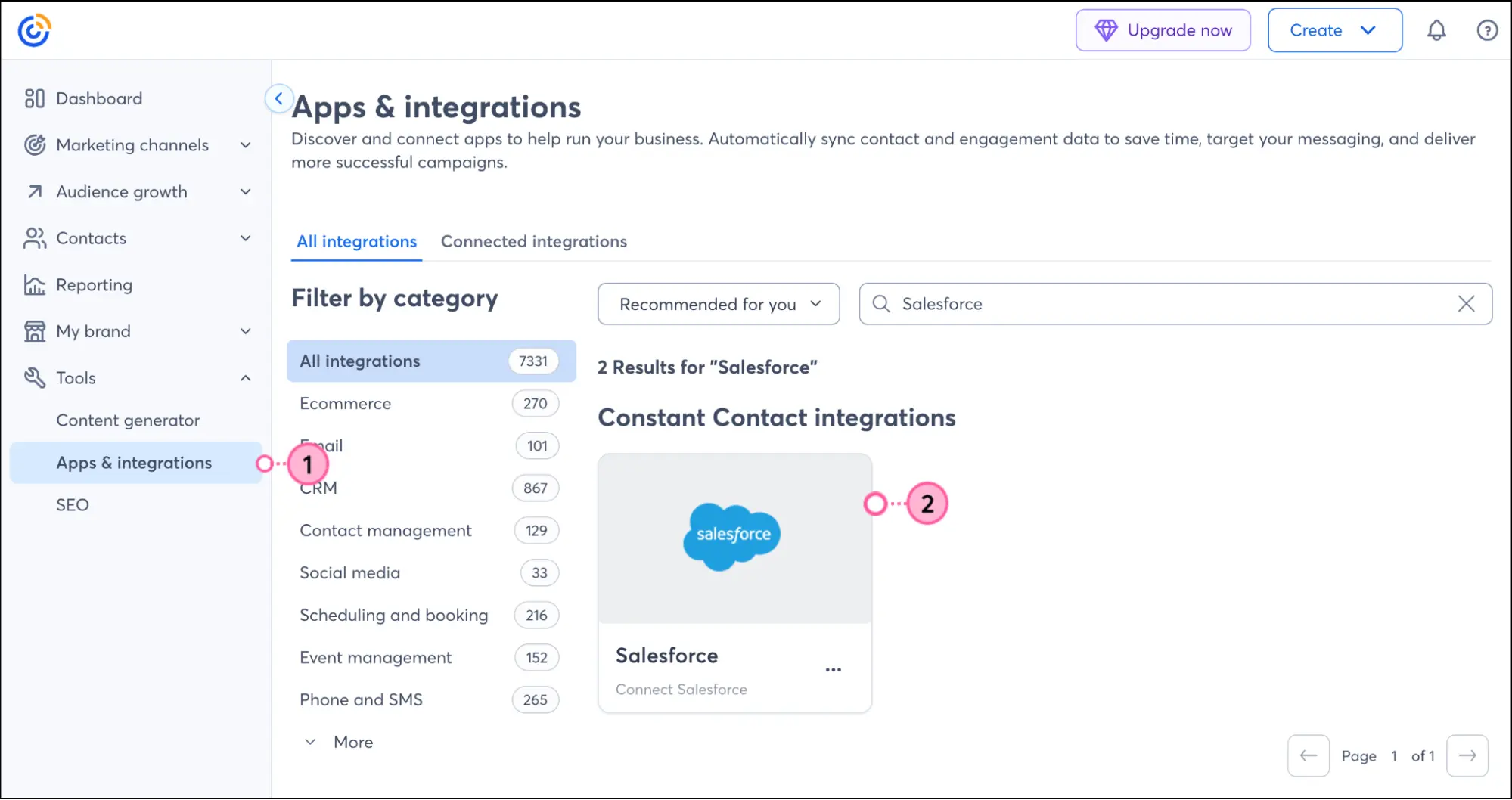
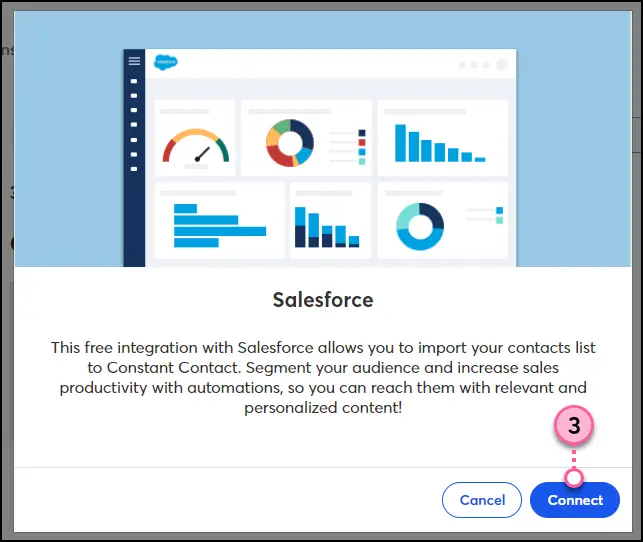
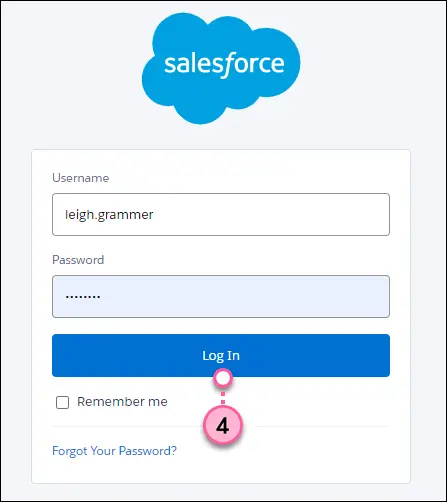
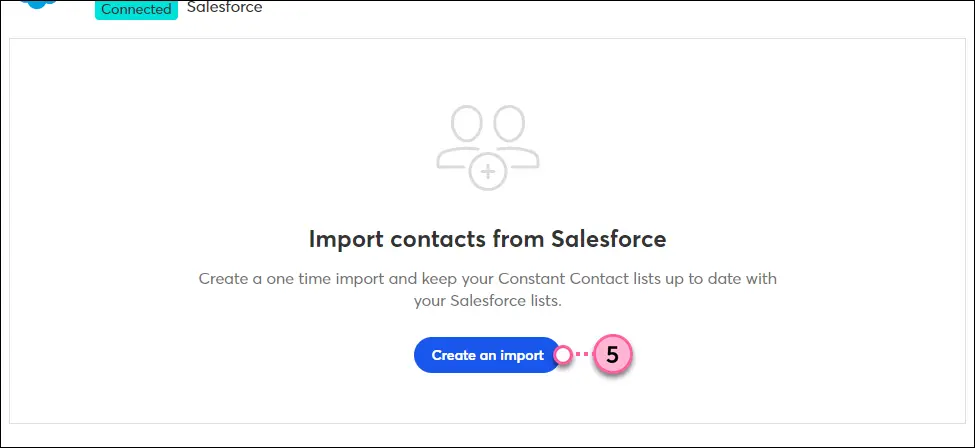
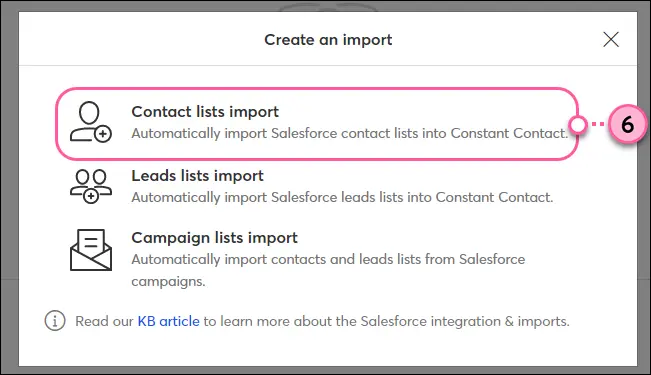
Select the import type you wish to conduct:
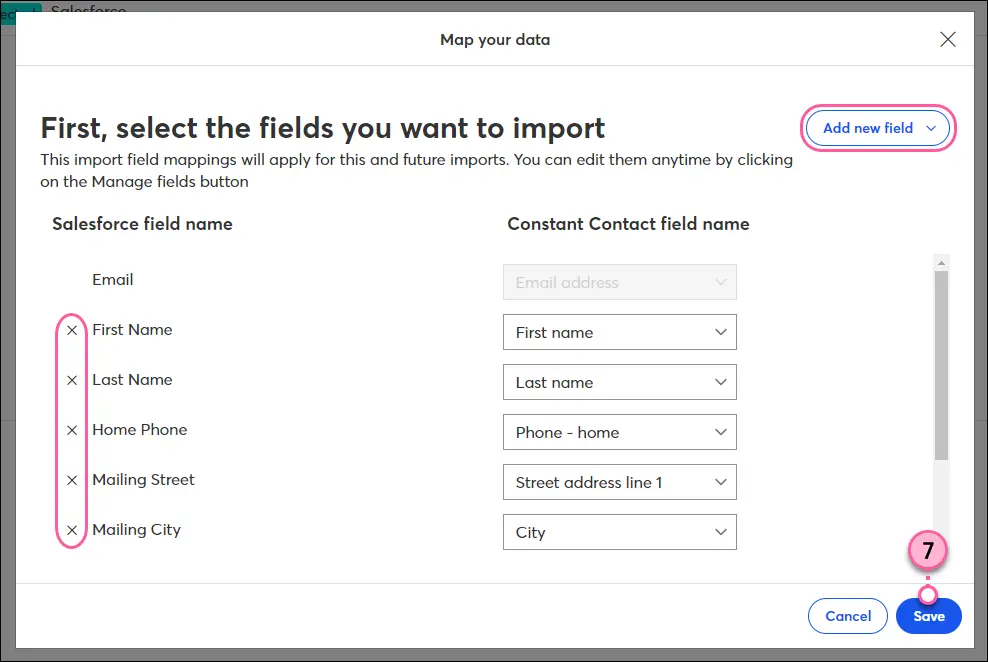
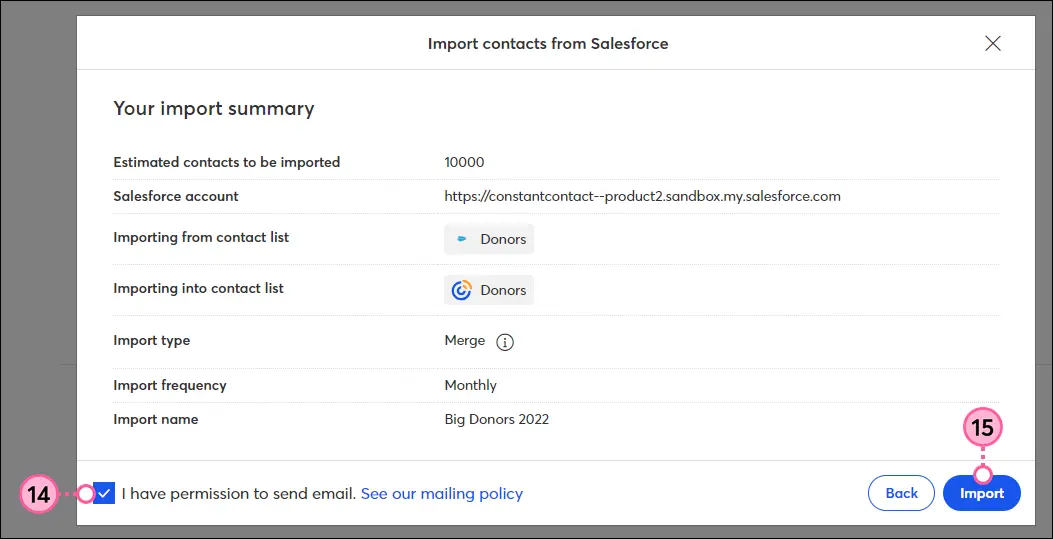
Once you initiate the import, you will be directed to the Salesforce integration dashboard, where you can track your import’s progress. It will initially display as “In Process.”
You can view details such as the number of contacts being imported. If any issues arise, they will be displayed here.

After the import is complete, the status will change to Success. You can now view all your imported contacts in the selected Constant Contact list.
At this stage, all data from Salesforce should be correctly synced into Constant Contact.

If you want to set up additional imports or update existing ones, you can repeat the process. You can import more lists or set a schedule for future updates.
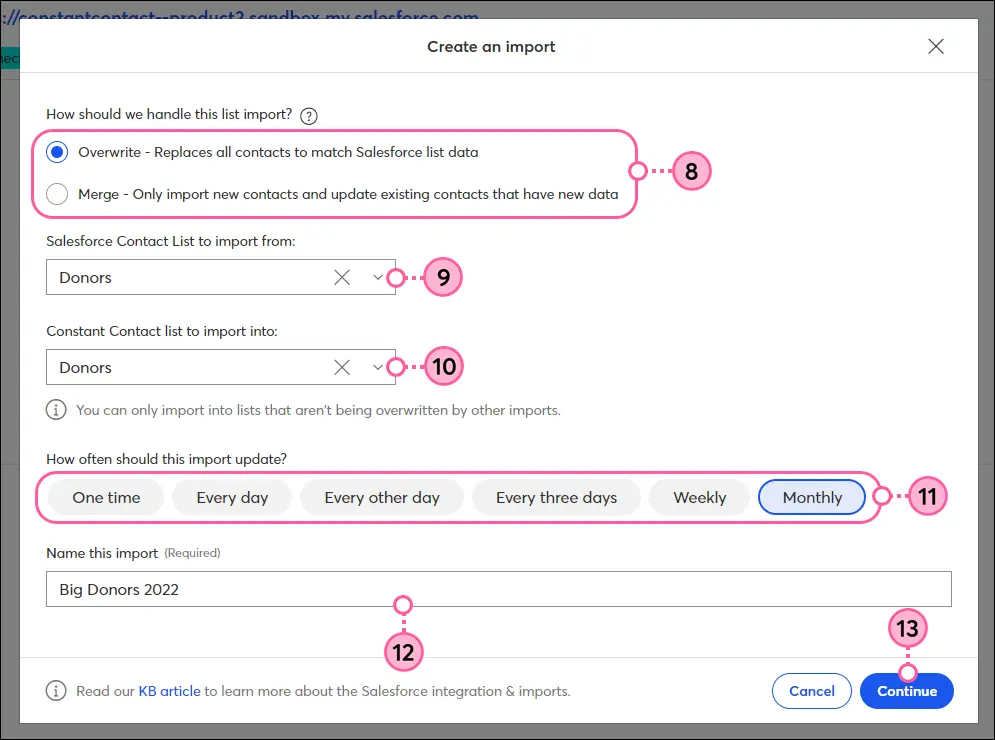
To keep your contact lists up to date, set your preferred update frequency (daily, weekly, or monthly). The system will automatically update your Constant Contact account with any new or modified contacts from Salesforce.
| Challenge | Solution |
|---|---|
| Data Mapping Errors | Carefully review and align fields to avoid errors. |
| Contact List Management | Organize contact lists in Salesforce before syncing. |
| Import Frequency Confusion | Double-check import frequency settings to keep lists up to date. |
| Permission Issues | Ensure you have correct permissions in both platforms before syncing. |
| Data Sync Delays | Break imports into smaller batches to speed up the process. |
| Error Handling | Monitor import progress and address any issues immediately. |
| System Compatibility | Make sure both platforms are updated to the latest versions. |
| Confusion with Import Types | Understand each import type and select the one that fits your needs. |
| Troubleshooting | Use the dashboard to track progress and check for errors during import. |
| Integration Setup Complexity | Follow step-by-step guides and seek help if needed for a smoother setup. |
Connecting Constant Contact with Salesforce streamlines managing customer information and running email campaigns. It automatically keeps everything updated, so you don’t have to worry about losing track of contacts or sending irrelevant emails.
There are a few things to watch out for, such as ensuring data alignment and setting the correct import schedule, but once the integration is properly set up, it runs smoothly. Maintaining clean and actionable data requires knowing when and how to convert a lead to a contact in Salesforce so your sales pipeline accurately reflects customer progress. Overall, this integration can save time, improve data accuracy, and strengthen customer relationships.