Logo

Differenz Force

We make a difference
  • Home   »  
  • Blog   »  
  • Salesforce Create App for AppExchange

Salesforce Create App for AppExchange

Wondering Salesforce Create App for AppExchange? They customize, integrate, and automate Salesforce to meet business needs and help teams get the most out of it.

Salesforce Create App for AppExchange
Table of Contents

Get in Touch with Our Salesforce Experts

Contact Us Today

Whether you're looking to optimize your Salesforce solution or need custom development, our team is here to help you unlock the full potential of Salesforce.

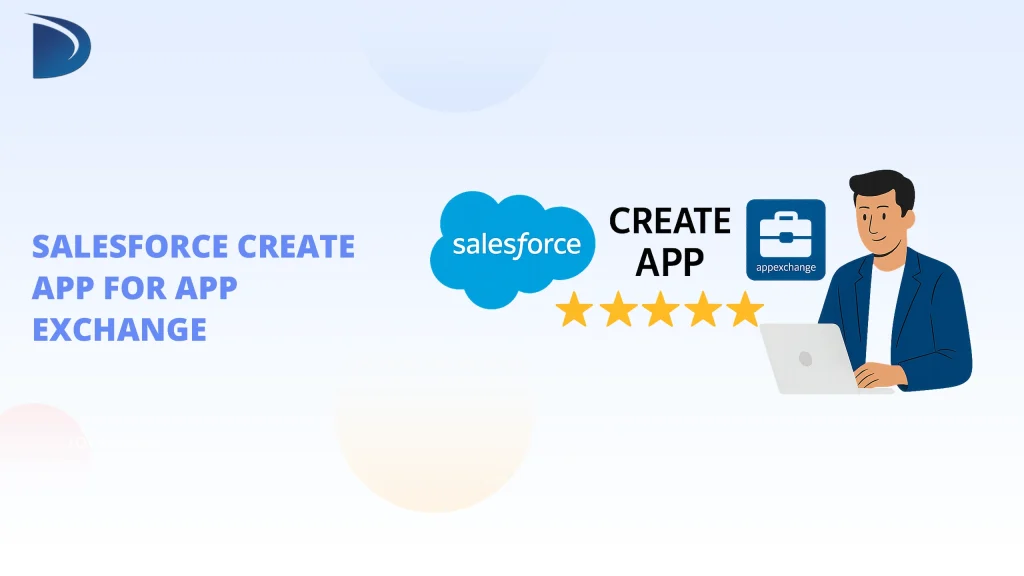
If you want to create an app for Salesforce AppExchange, you’re in the right place. Salesforce provides a broad platform, and by building an app for it, you can reach thousands of users and businesses. This guide will walk you through the steps to create a Salesforce app for AppExchange and explain how this can benefit your business and app development efforts.

Benefits of Creating an App for AppExchange

  • Wider Reach: Put your app in front of thousands of Salesforce users.
  • Generate Revenue: AppExchange apps can be sold or used to generate leads.
  • Build Trust: Listing on AppExchange gives your app credibility, as Salesforce reviews every app before it goes live.
  • Access Resources: Salesforce provides developers with resources, guides, and tools to help you create and market your app.

Step-by-Step Guide to Creating an App for Salesforce AppExchange

Step 1: Understand the Technical Requirements

  • Before starting, you need to be familiar with programming languages like Apex and Salesforce tools such as Lightning. These will help you build the app on Salesforce’s platform.
  • Make sure your app connects properly with Salesforce to ensure it works smoothly with Salesforce products and services.

Step 2: Develop the App

  • Use Salesforce’s development tools to build your app by writing code, configuring features, and ensuring proper functionality.
  • Test your app frequently during development to catch bugs or issues. Debugging helps resolve problems before submission.

Step 3: Prepare for AppExchange Submission

  • To submit your app, you must meet Salesforce’s security standards by ensuring it is secure and free of vulnerabilities.
  • Include all required documentation, such as installation guides, user manuals, and screenshots. This helps users understand how to install and use the app once it is live.

Step 4: Submit Your App for Review

  • Once your app is ready, go to the Salesforce AppExchange site and submit it. Fill in the required information, including descriptions, images, and support documents.
  • Salesforce will review your app to check its security, functionality, and compatibility with the platform.

Step 5: Respond to Feedback

  • After submission, Salesforce may provide feedback and request changes to improve the app. Be prepared to make any necessary adjustments.

Step 6: List Your App on AppExchange

  • After your app is approved, it will be listed on AppExchange, and you can offer it to Salesforce users.
  • Keep your listing up to date by responding to customer reviews and updating the app as needed.

Understanding the Technical Requirements for Salesforce App Development for AppExchange

Technical Skills Required

  • Salesforce Platform Knowledge: To create apps for AppExchange, you need to understand the Salesforce platform, including tools like Apex (Salesforce’s programming language) for custom coding and Lightning (a component-based framework) for building user interfaces.
  • Integration Skills: Your app must integrate with Salesforce products such as Sales Cloud, Service Cloud, or Marketing Cloud. Understanding how to use Salesforce APIs and data models is necessary to ensure compatibility.

Salesforce Development Tools

  • Apex: Apex is Salesforce’s programming language that allows you to write custom business logic, create workflows, and automate processes in your app. It is essential for building custom features.
  • Lightning Framework: Lightning is used to build modern, responsive user interfaces. You can use Lightning Components and Lightning App Builder to create dynamic, customizable apps, which are necessary for developing apps on AppExchange.
  • Visualforce: While Lightning is more commonly used, Visualforce remains important for certain customizations. It allows you to create custom pages within Salesforce for specialized needs.

Database Management

  • Salesforce Objects: Salesforce uses objects, similar to database tables, to store data. It is important to understand how to use standard objects (predefined) and custom objects (created by developers) to manage data within your app.
  • SOQL and SOSL: Salesforce has two main query languages:
    • SOQL (Salesforce Object Query Language) is used to retrieve records from Salesforce.
    • SOSL (Salesforce Object Search Language) is used to search across multiple objects. These tools are needed for effective data retrieval and search functionality.

Security Standards

  • Data Security: When creating an app for AppExchange, security is a priority. Your app must follow Salesforce’s security model, including appropriate user permissions, access levels, and sharing rules to protect data.
  • Review Process Compliance: Salesforce will review your app during the approval process. Ensure your app meets security standards to pass the review, This includes proper encryption and protection against vulnerabilities.

Challenges and best practices to overcome them

ChallengesBest Practices to Follow
Technical IssuesRegularly test your app in different environments to check compatibility and resolve bugs early.
Approval DelaysSubmit your app in advance and be prepared to adjust based on feedback to speed up the review process.
Market CompetitionFocus on solving unique problems, highlight distinct features, and provide strong customer support.
Security ReviewsFollow Salesforce’s security guidelines and thoroughly test for vulnerabilities to meet review standards.
User AdoptionProvide clear documentation and user guides to help users get started quickly.
ScalabilityBuild your app to manage increased data and traffic as your user base grows.
Integration IssuesEnsure smooth integration with Salesforce using APIs and adhering to Salesforce standards.
Performance OptimizationOptimize app speed and responsiveness, especially when handling large datasets.
Version UpdatesRegularly update your app to fix issues and add new features as needed.
Customer SupportProvide fast and effective support to address user issues promptly.
User FeedbackCollect user feedback to improve your app and better meet user needs.
Compliance with RegulationsEnsure compliance with legal and data protection standards relevant to your app.

Conclusion:

In conclusion, creating an app for Salesforce AppExchange offers valuable opportunities for visibility and growth. By following the outlined steps and meeting all technical and security standards, you can successfully create an app for AppExchange and make a meaningful impact on Salesforce users worldwide.