Learn how to optimize the Salesforce SDLC, from planning to maintenance. Follow best practices for efficient, scalable development and deployment solutions.
Salesforce has become a leading choice for businesses seeking to manage customer data, streamline operations, and increase sales. However, to maximize the benefits of Salesforce, businesses should follow a structured development process. The Salesforce Software Development Life Cycle (SDLC) guides this process, ensuring the software is properly built, tested, and deployed.
What is the Salesforce Software Development Life Cycle?
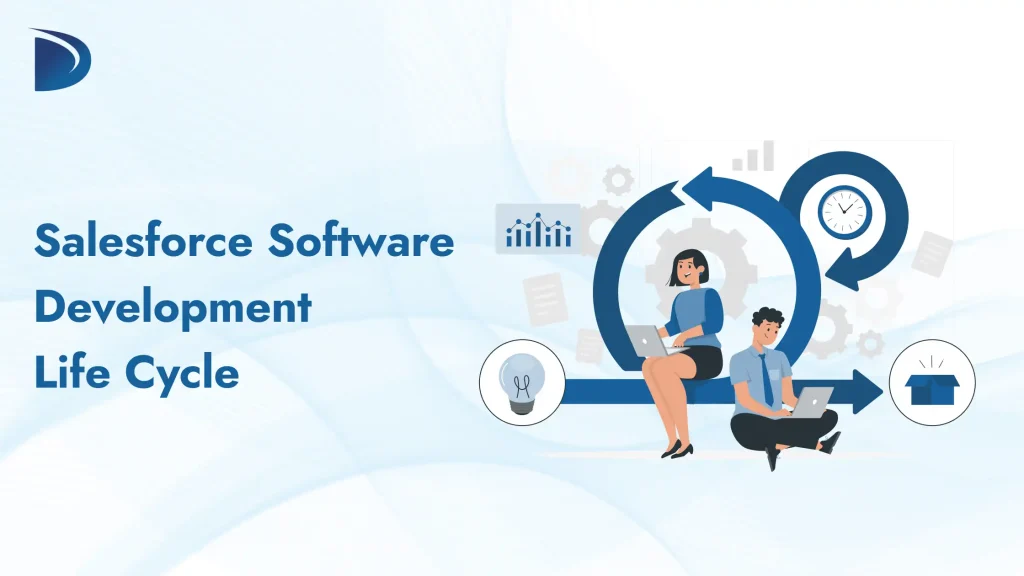
The Salesforce SDLC is a framework that guides the planning, development, testing, and deployment of Salesforce applications. It includes several steps to ensure the software meets business requirements, is delivered on time, and performs well after launch. By following these steps, businesses can reduce risks, avoid errors, and deliver high-quality applications.
Key Phases in the Salesforce Software Development Life Cycle
Phase 1. Planning
Purpose: Establish the foundation for development by identifying the project’s objectives and requirements.
- Gather detailed requirements from stakeholders, including business owners, Salesforce admins, and end users.
- Clearly define the project’s goals, scope, and deliverables.
- Create a timeline and assign roles to team members using tools such as JIRA or Trello.
- Prioritize the most important business features to address first.
Phase 2. Design
Purpose: Create the framework of the Salesforce solution based on business needs.
- Develop the architecture and design for the new Salesforce customizations.
- Select tools and technologies such as Apex, Visualforce, Salesforce DX, and Lightning components for development.
- Map user workflows and design an intuitive user interface (UI) with user experience (UX) in mind.
- Design the database model, including object relationships, fields, and security features.
Phase 3. Development
Purpose: Turn designs into functional solutions using code and configuration.
- Write code for custom features using Apex classes, triggers, and batch jobs.
- Configure workflows, custom objects, and automation features such as Process Builder and Flow.
- Integrate Salesforce with other tools and services using APIs.
Phase 4. Testing
Purpose: Confirm that the solution is reliable, free of errors, and meets requirements.
- Conduct tests in Salesforce Sandboxes to avoid impacting the live environment.
- Perform unit tests on individual components and system tests on larger workflows.
- Test data integrations to ensure accuracy and consistency.
- Use automated testing tools for repetitive tests to save time and maintain consistency.
Phase 5. Release/Deployment
Purpose: Move the tested solution into production without disturbing ongoing operations.
- Prepare deployment plans and schedule releases to minimize system downtime.
- Use tools such as Change Sets, Salesforce DX, or third-party deployment tools to push updates to production.
- Release in stages, especially for large-scale updates, to detect issues early and minimize disruptions.
- Monitor deployments closely and address any potential issues that arise.
Phase 6. Maintenance
Purpose: Keep the solution running smoothly while adapting to evolving business needs.
- Fix bugs, monitor data integrity, and address user feedback regularly.
- Maintain compliance with Salesforce’s periodic updates and required system enhancements.
- Implement refinements and improvements as new business needs arise.
Best Practices for Each Phase of Salesforce SDLC
- Planning: Involve stakeholders through regular meetings to ensure alignment with business objectives.
- Design: Prioritize scalability and security when creating the architecture to prevent technical issues later.
- Development: Use version control systems like Git and follow Salesforce coding best practices.
- Testing: Always test in sandbox environments to avoid impacting live data.
- Deployment: Prepare a rollback strategy in case of unexpected production issues.
- Maintenance: Schedule regular health checks of your Salesforce instance to ensure optimal performance.
Integration and Security Considerations
Salesforce relies heavily on integrations with other systems. Here are some points to consider:
1. Integration Tips:
- Use middleware tools such as MuleSoft or Zapier for seamless integrations.
- Regularly test APIs and workflows to identify potential conflicts.
2. Security Tips:
- Configure user roles and permissions carefully to restrict unnecessary access.
- Encrypt sensitive data and use Salesforce Shield for advanced encryption.
- Monitor your system for unauthorized access or data breaches.
What to Watch for in Salesforce SDLC
- Skipping the Testing Phase: Testing is essential to ensure the software works as expected. Skipping it can cause issues after deployment.
- Overcomplicating the Design: While customizations are important, creating an overly complex design can result in unnecessary development time and future problems.
- Ignoring User Feedback: Always consider user feedback during development and after deployment to ensure the application truly meets their needs.
Conclusion
A disciplined approach to the Salesforce Software Development Life Cycle delivers better solutions, reduces risks, and saves valuable time and resources. By following these organized phases and best practices, your business can unlock the full potential of Salesforce and ensure long-term success.
Need help with your Salesforce development process? Start building scalable, efficient solutions today by using industry-leading tools and practices. Whether you are a developer or an organization, adopting a comprehensive Salesforce SDLC will set you up for success.
FAQs
How long does a Salesforce SDLC project typically take?
The duration depends on the project’s scope and complexity. Small projects may take weeks, while larger ones can take several months.
Can we skip certain phases in the SDLC?
No, skipping phases often leads to errors and inefficiencies later. Each phase plays a key role in building a reliable, effective solution.
How does Salesforce DX simplify development?
Salesforce DX streamlines development by offering tools for source-driven workflows, continuous integration, and team collaboration during coding.
Should small businesses follow the Salesforce SDLC?
Yes, even small businesses benefit from a structured approach because it reduces errors and supports scalability.



 Dadhich Rami