Whether you're looking to optimize your Salesforce solution or need custom development,
our team is here to help you unlock the full potential of Salesforce.
What Is Agentforce? How Salesforce AI Agents Work (2026)
You’ve probably heard the name Agentforce in Salesforce news, sales calls, or your own org’s release notes. But most explanations are either full of hype or full of jargon. This guide fixes that.
Below, you’ll learn what Agentforce is in plain English, how it actually works behind the scenes, what it can and can’t do, what it costs, and how to tell whether your business is ready for it. No fluff, and no promises Salesforce itself doesn’t make.
Key takeaways
Agentforce is Salesforce’s platform for building AI agents that can understand a request, look up your business data, decide what to do, and take action inside Salesforce.
It is more than a chatbot. A chatbot answers. An Agentforce agent can answer and then do the work, like updating a case or booking a meeting.
It runs on three things: data (your CRM and Data 360), reasoning (the Atlas Reasoning Engine), and actions (Flow, Apex, APIs, and more).
Pricing is mostly usage-based today (Flex Credits), with per-user options for employee-facing use.
Results depend on clean data, clear processes, and good guardrails. The AI can’t fix a messy process on its own.
What Is Agentforce? (Quick Answer)
Agentforce is Salesforce’s AI agent platform. It lets businesses build and run AI agents that work for employees and customers. Each agent can understand a request in everyday language, pull the right information from Salesforce and connected systems, decide on the next step, and take action, all within the rules and permissions your company sets. When a situation needs a human, the agent hands it off with the full conversation history.
Salesforce first showed Agentforce at Dreamforce in September 2024. Since then it has grown from a set of ready-made agents into a full platform, now often called Agentforce 360, that includes tools to build, test, launch, and monitor agents.
Agentforce at a glance
Made by
Salesforce
What it is
A platform for building and running autonomous AI agents inside the Salesforce ecosystem
First announced
Dreamforce, September 2024
Main building blocks
Agentforce Builder, Agent Script, subagents, actions, Atlas Reasoning Engine, Data 360, Einstein Trust Layer, Agentforce Observability
Customer service, sales, marketing, commerce, field service, IT and HR support
How it’s priced
Usage-based Flex Credits, plus per-user licenses and bundled editions
Agentforce in plain English
Think about hiring a new team member. You give them a job description, access to the systems they need, a list of things they’re allowed to do, and a manager to call when something is above their pay grade.
Agentforce works the same way. You give an agent:
A job (for example, “help customers track and return orders”)
Access to information (order records, return policy, customer history)
Tools (start a return, issue a label, update the case)
Rules (never refund over $500 without a person, never share another customer’s data)
A handoff path (send tricky cases to a live agent with full context)
The difference is that this “team member” works around the clock, handles many conversations at once, and does the same thing the same way every time you’ve told it to.
How Does Agentforce Work?
Every Agentforce agent follows the same basic loop. It understands the request, gathers the facts, figures out a plan, takes action, and then either finishes the job or hands it to a person.
Figure 1. The Agentforce request loop: understand, retrieve, reason, act, and finish or hand off. Guardrails apply at every step.
Understand the request. A customer types “Where’s my order?” or a business event happens, like a new lead coming in. The agent reads the request in natural language and figures out what the person actually wants.
Retrieve trusted data. The agent looks up the facts it needs from Salesforce records, Data 360, knowledge articles, and connected systems. This is called grounding, and it keeps answers tied to your real data instead of guesses.
Reason and plan. The Atlas Reasoning Engine decides which subagent should handle the job and which actions to use, in what order.
Take action. The agent runs the actions you’ve approved, such as a Salesforce Flow, Apex code, an API call, or a prompt template. For example, it can update a record, create a case, or send a confirmation.
Finish or hand off. If the job is done, the agent replies or closes the loop. If the request is outside its rules, it passes the conversation to a person along with everything that has happened so far, so the customer doesn’t have to repeat themselves.
The simple formula: Agentforce = data (what the agent knows) + reasoning (how it decides) + actions (what it can do). If any one of the three is weak, the agent will be weak too.
Key Parts of Agentforce
Agentforce isn’t one feature. It’s a set of building blocks that work together. Here’s how they stack up. (For a deeper look at the platform layer, see our guide to the Agentforce Platform.)
Figure 2. How Agentforce’s parts fit together. Trust and monitoring tools sit across every layer.
Agentforce Builder and Agent Script
Agentforce Builder is where you create and edit agents. Admins can describe what they want in plain language or use a visual Canvas view. Behind the scenes, Salesforce uses Agent Script, a language that blends natural-language instructions with fixed logic like if/then rules, variables, and transitions. That mix lets you keep the flexibility of AI while locking down the steps that must always happen the same way.
Developers can also work in code using Agentforce DX, the Salesforce CLI, and a VS Code extension, so agents can move through normal release pipelines like the rest of your Salesforce work.
Subagents (formerly “topics”)
A subagent is one specific job the agent can do, along with its instructions, actions, and limits. A service agent might have one subagent for order status, one for returns, and one for billing questions. In April 2026, Salesforce renamed “topics” to “subagents.” Nothing about how they work changed, but you’ll see both terms in older articles and documentation.
Actions
Actions are what turn an agent from a talker into a doer. An action can run a Salesforce Flow, call Apex code, hit an API, use a prompt template, or reach outside systems through MuleSoft. Salesforce includes standard actions, and you can build custom ones. Connecting the right systems is often the biggest part of a project, which is why Agentforce integration planning matters so much.
Atlas Reasoning Engine
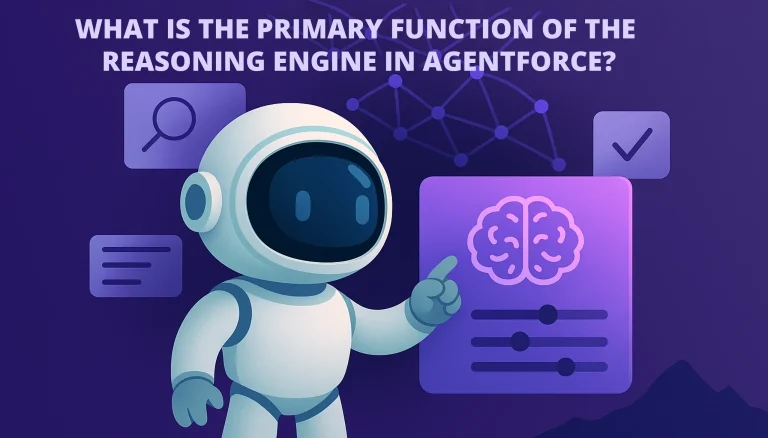
Atlas is the “brain.” It reads the request, picks the right subagent, decides which actions to use, and checks its plan before acting. Salesforce calls this hybrid reasoning: AI handles the parts that need judgment, while fixed rules handle the parts that must be predictable. We break this down further in the primary function of the reasoning engine in Agentforce.
Data 360 (formerly Data Cloud)
An agent is only as good as what it knows. Data 360 brings customer and business data together from Salesforce and outside sources, including unstructured content like PDFs. Salesforce renamed Data Cloud to Data 360 in October 2025. Not every agent needs Data 360 on day one, but many advanced use cases depend on it.
Einstein Trust Layer
The Trust Layer is Salesforce’s set of safety controls for generative AI. It grounds answers in your data, masks sensitive details before they reach an AI model, checks for harmful content, keeps an audit trail, and relies on zero-data-retention agreements with outside model providers. It lowers risk, but it doesn’t replace your own permissions, testing, and review.
Testing and Agentforce Observability
Launching an agent is the start, not the finish. Salesforce provides a Testing Center for running test conversations in bulk before launch, and Agentforce Observability for tracking how agents perform after launch, including escalation rates, deflection rates, user feedback, and abandoned sessions. Pair this with your own reporting through Agentforce Analytics.
Channels, including Agentforce Voice
Agents can work on your website, in messaging apps, over email, in Slack, inside Salesforce apps, and by phone through Agentforce Voice. The same agent logic can serve several channels, so customers get consistent answers wherever they reach you.
Agentforce vs. Chatbots, Copilots, and Salesforce Flow
This is where most people get confused, so here’s a side-by-side view.
How Agentforce compares with other automation tools
Tool
What it does
Takes action?
Handles new or messy requests?
Best for
Rule-based chatbot
Follows a fixed script or decision tree
Rarely
No
Simple FAQs with predictable questions
AI copilot / assistant
Helps a person write, summarize, or find information
Sometimes, when the user asks
Yes
Making employees faster at their own work
Salesforce Flow
Runs fixed business logic when something happens
Yes
No
Predictable processes with clear rules
Agentforce agent
Works toward a goal using data, reasoning, and actions
Yes, on its own within guardrails
Yes
Tasks that mix conversation, context, and action
A key point: Agentforce and Flow are partners, not rivals. In most real builds, the agent handles the conversation and decision, and then calls a Flow to do the actual work in a reliable way. If you’re weighing where AI fits versus standard automation, our AI and automation solutions team usually starts with that exact question.
You may also see older references to Einstein Copilot. Salesforce folded that assistant into the Agentforce family as part of its rebrand, so it’s now part of the same platform rather than a separate product.
What Can Agentforce Do? Use Cases by Team
The best use cases share three traits: lots of repeat requests, data the agent can reach, and clear rules for what “done” looks like. Here’s what that looks like across teams.
Common Agentforce use cases and what each one needs
Team
What the agent can do
Data it needs
When it hands off
Customer service
Answer policy questions, check order status, start returns, update or route cases
Orders, cases, knowledge articles, return policy
Angry customers, refunds over a set limit, legal or safety issues
Sales
Reply to inbound leads, answer product questions, qualify prospects, book meetings, update CRM records
Let’s say a customer messages an online store at 11:40 p.m.: “My order hasn’t shown up. Can you check it?” Here’s what they see, and what the agent is doing behind the scenes.
One order-status request, from both sides
What the customer sees
What the agent is doing
“Sure, I can help. Can you confirm your email?”
Order subagent is selected. The agent needs to verify identity before sharing order details.
Customer types their email.
An action looks up the contact and their recent orders in Salesforce.
“Your order #48213 shipped Monday. The carrier shows a delay in Memphis.”
An API action pulls live tracking. The answer is grounded in real data, not a guess.
“Want me to send a replacement or keep waiting?”
Instructions say delays over 5 days qualify for a free replacement.
“Replacement, please.”
A Flow creates the replacement order and logs a case note.
“Done. You’ll get a confirmation email in a few minutes.”
Conversation closes. If the order had been over the refund limit, the agent would have passed it to a person instead.
The customer got help at midnight, the support team starts the morning with one less ticket, and every step is logged. That’s the practical value of Agentforce: not just answering, but finishing the job safely.
How Much Does Agentforce Cost?
There’s no single price. Salesforce offers several models, and the right one depends on who uses the agent (customers or employees) and how much. Here’s what Salesforce lists as of fall 2026.
Agentforce pricing options (list prices, USD, checked September 2026)
Option
List price
How you pay
Good fit for
Salesforce Foundations
$0
Included with eligible editions, with limited starter usage
Trying Agentforce before you commit
Flex Credits
$500 per 100,000 credits
Per action. A standard action uses 20 credits (about $0.10). A voice action uses 30 (about $0.15).
Customer-facing agents and mixed use
Conversations
$2 per conversation
Per conversation; now aimed mainly at existing Conversations customers
Teams already on this model
Agentforce User License
$5 per user/month
Per user, plus Flex Credits for usage
Giving many employees basic access
Agentforce add-ons
$125 per user/month ($150 for Industries clouds)
Per user, flat fee
Heavy internal use in Sales, Service, or Field Service
Agentforce 1 Editions
From $550 per user/month
Per user, bundled with Flex Credits
Companies standardizing on Agentforce
Heads up: Salesforce has changed Agentforce pricing several times since 2024, and list prices don’t include discounts, Data 360 usage, implementation, or training. Always confirm current terms on Salesforce’s Agentforce pricing page or with your account executive before you budget.
Why the number of actions matters
With Flex Credits, you pay for each action an agent takes, not each conversation. A simple FAQ answer might use one or two actions. A full return with identity checks, lookups, and a new order might use eight or more. The chart below shows how that adds up.
Figure 3. Illustrative estimate only, based on Salesforce’s listed rate of 20 Flex Credits per standard action at $500 per 100,000 credits. Voice actions cost about 50% more.
Quick estimate formula: monthly conversations × average actions per conversation × $0.10 = rough monthly Flex Credit cost. For example, 3,000 conversations × 4 actions × $0.10 ≈ $1,200 per month. To compare that against the time your team saves, try our Salesforce ROI calculator.
Benefits of Agentforce
It finishes tasks, not just conversations
Because agents can take real actions, they can close out common requests from start to finish instead of just pointing people to a form or a phone number.
It’s available 24/7 on many channels
Customers get help on nights, weekends, and holidays, on the channel they already use. Busy seasons don’t require the same jump in hiring.
It works with what you already have
Agentforce runs on the Salesforce Platform, so it can reuse your existing data, Flows, Apex, permissions, and security model. You’re extending your org, not bolting on a separate tool.
Your people focus on harder work
When agents handle the routine requests, your team can spend more time on complex cases, relationships, and decisions that need human judgment.
You can watch and improve it
Built-in testing and observability tools show where agents succeed, where they escalate, and where conversations drop off, so you can fix weak spots with real data.
Limitations and Risks to Plan For
Agentforce is powerful, but it’s not magic. Being honest about the limits up front saves money and frustration later.
Bad data means bad answers. Duplicate records, outdated knowledge articles, and missing fields will show up in what the agent says and does. Many teams need a data cleanup or migration before launch.
It can’t fix an unclear process. If your team can’t explain the rules for a refund, the agent can’t follow them either. Write the process down first.
AI can still make mistakes. Grounding and the Trust Layer reduce errors, but they don’t remove them. High-risk actions should require human approval.
Permissions need real thought. Decide exactly what each agent can read, change, send, or trigger. Start narrow and widen access over time.
Usage costs can surprise you. Long, multi-step conversations use more actions. Set usage alerts and review consumption every month.
Not every process needs AI. If inputs are fixed and rules never change, a standard Flow is cheaper and more predictable.
The product changes fast. Names, builders, and pricing have shifted several times since 2024. Plan for ongoing upkeep, not a one-time setup.
Common myths about Agentforce
Agentforce myths vs. facts
Myth
Fact
“Agentforce is just a fancy chatbot.”
Agents can take real actions in Salesforce and other systems, not just reply.
“It learns on its own and gets smarter automatically.”
Agents improve when your team reviews results, updates instructions, and fixes data. Monitoring and testing drive improvement.
“It will replace our support team.”
It handles routine work and hands complex or sensitive issues to people.
“You need developers to build anything.”
Admins can build many agents with low-code tools. Developers help with custom actions and integrations.
“Turn it on and it works.”
Good results need clean data, clear processes, tested actions, and ongoing tuning.
Is Your Business Ready for Agentforce? A Quick Checklist
Before you spend money, run through this list. If you can check off at least six of these eight, you’re in a good spot to start a pilot.
You can name one specific, high-volume task you want the agent to handle.
You can describe what “done” looks like for that task in one or two sentences.
The data the agent needs already lives in Salesforce or a system you can connect.
That data is reasonably clean and current.
Your team has written rules for exceptions, limits, and approvals.
You know when the agent must hand off to a person, and who receives the handoff.
You have a baseline metric to beat, such as average handle time or tickets per week.
Someone on your team will own the agent after launch and review it monthly.
Checked fewer than six? That’s normal. It usually means the first step is process and data work, not AI. A short Salesforce consulting assessment can show you what to fix first.
How to Get Started With Agentforce: A 7-Step Plan
Pick one use case. Choose a task with high volume, low risk, and clear rules. Order status and appointment booking are classic starting points.
Set your success metric. Decide how you’ll measure success, such as resolution rate, response time, or hours saved per week.
Audit your data. List every record, field, and knowledge article the agent will need. Fix gaps before you build.
Define actions and permissions. Spell out what the agent can read, create, update, and send. Build or reuse the Flows and Apex it will call.
Set guardrails and handoffs. Write the rules for when the agent must stop, ask for approval, or pass to a person.
Test hard before launch. Use the Testing Center to run normal questions, odd phrasing, wrong information, and attempts to break the rules.
Launch small, then monitor. Start with one channel or a slice of traffic. Review escalations, failed conversations, feedback, and credit usage every week at first, then monthly.
If you read about Agentforce a year ago, some of what you learned is now out of date. Here’s a quick timeline of the biggest changes.
September 2024Salesforce introduces Agentforce at Dreamforce as its next step beyond chatbots and copilots.
October 2024Agentforce becomes generally available, priced at $2 per conversation.
December 2024Agentforce 2.0 adds more ready-made skills and deeper reasoning.
May 2025Flex Credits launch, moving pricing toward a pay-per-action model.
June 2025Agentforce 3 adds a command center for monitoring agents and support for the Model Context Protocol (MCP).
October 2025The platform is branded Agentforce 360, and Data Cloud is renamed Data 360.
April 2026Agent “topics” are renamed “subagents,” with no change in how they work.
Mid-2026The new Agentforce Builder with Agent Script becomes the main place to create agents, replacing the legacy builder in Setup for new agents.
Frequently Asked Questions About Agentforce
What is Agentforce in simple words?
Agentforce is Salesforce’s tool for building AI agents that can understand requests, look up your business data, and take actions, like updating a record or booking a meeting, without a person doing every step.
Is Agentforce the same as a chatbot?
No. A chatbot mostly answers questions from a script. An Agentforce agent can reason through a request and take real actions in Salesforce and connected systems, then hand off to a person when needed.
What is the difference between Agentforce and Einstein?
Einstein was Salesforce’s earlier brand for AI features like predictions and the Einstein Copilot assistant. Agentforce is the newer platform for autonomous agents. Some Einstein pieces, like the Einstein Trust Layer, still power Agentforce today.
What are subagents in Agentforce?
A subagent is one job an agent can do, with its own instructions, actions, and limits. Salesforce called these “topics” until April 2026, when it renamed them subagents without changing how they work.
What is the Atlas Reasoning Engine?
Atlas is the reasoning system behind Agentforce. It reads the request, chooses the right subagent and actions, and plans the steps, mixing AI reasoning with fixed business rules.
How much does Agentforce cost?
As of fall 2026, Salesforce lists Foundations at $0, Flex Credits at $500 per 100,000 credits (about $0.10 per standard action), an Agentforce User License at $5 per user per month, add-ons from $125 per user per month, and Agentforce 1 Editions from $550 per user per month. Prices change, so confirm with Salesforce before you budget.
Do I need Data 360 to use Agentforce?
Not always. Simple agents can work with standard Salesforce data and knowledge articles. Data 360 becomes important when agents need data from many systems or unstructured content like PDFs.
Do I need a developer to build an agent?
Not for every agent. Admins can build many agents in Agentforce Builder with low-code tools. Developers are helpful for custom Apex actions, API integrations, and managing agents in code.
Is Agentforce secure?
Salesforce includes the Einstein Trust Layer, which masks sensitive data, checks for harmful content, and logs activity. Real security also depends on how you set permissions, limit actions, and test your agents.
Should we use Agentforce or Salesforce Flow?
Use Flow for fixed, predictable processes. Use Agentforce when the work involves natural language, changing context, or choosing between actions. In most projects, the two work together: the agent decides and Flow does the work.
How long does it take to launch an Agentforce agent?
A focused pilot with clean data and existing Flows can go live in a few weeks. Projects that need data cleanup, new integrations, or several subagents take longer. Data readiness is usually the biggest factor.
Final Thoughts: Start With a Problem, Not the Tool
Agentforce is one of the biggest changes to Salesforce in years. It moves AI from “helping people type faster” to “doing real work safely.” But the companies that get value from it don’t start by asking, “Where can we add AI?” They start by asking, “Which task is costing us the most time, and is it ready for an agent?”
Pick one task. Clean the data behind it. Write the rules. Test hard. Then expand. That’s how Agentforce turns from a buzzword into a working part of your team.
Dadhich Rami is an experienced professional with over 9 years in the tech industry, specializing in both Android development and Salesforce solutions. He began his career as an Android developer, focusing on creating user-friendly and efficient mobile applications. Over time, Dadhich expanded his expertise to Salesforce, where he has customized and optimized CRM systems to meet diverse business requirements.



 Shyam Agarwal